BrideHubSA

Not a trial. Not a first month. Not a cut-down version.
No card asked for at any point.

Your very own Digital Invitation

One link you share via WhatsApp. The date, the venue, where to stay and what to wear, and your guests reply on it. Your RSVPs automatically pull through to your guest list. No paper, no printing, no chasing.

Roméo & Juliet's Invitation
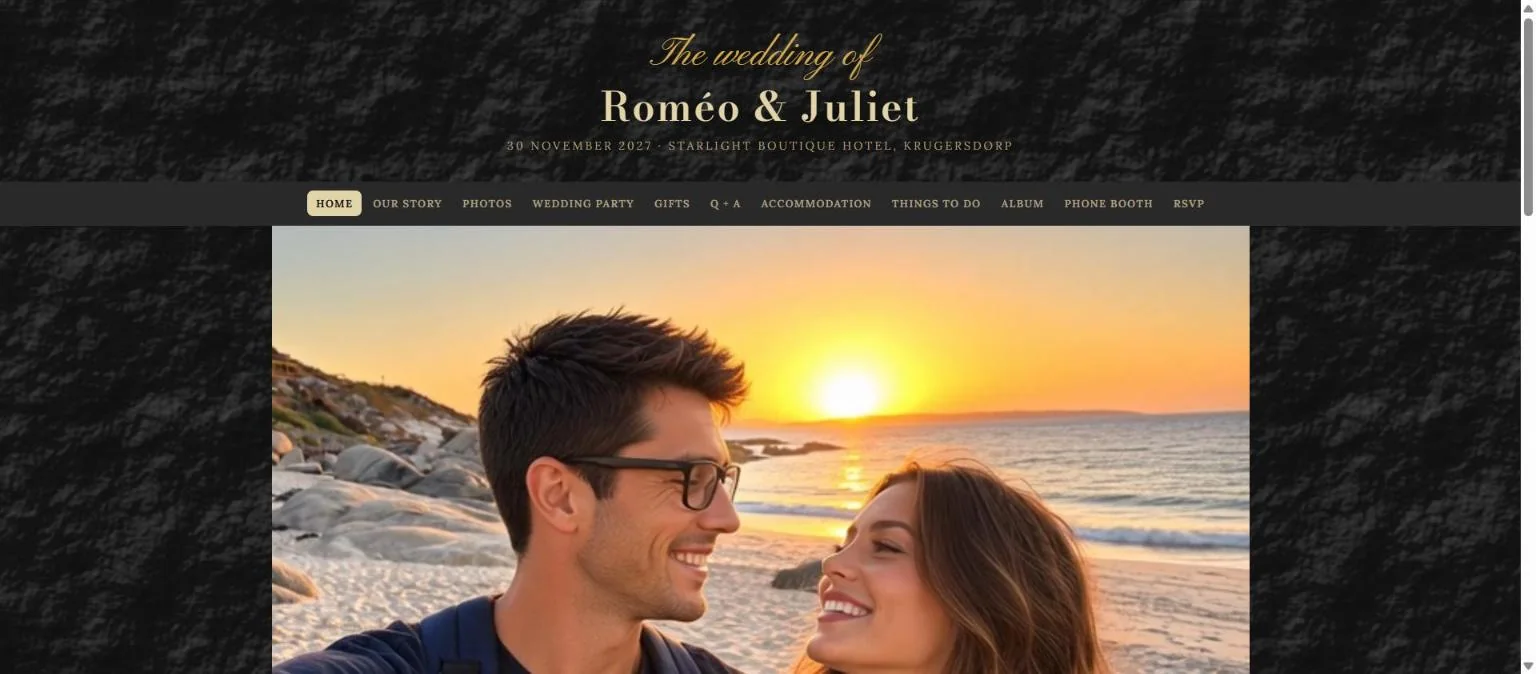
A wedding invitation page: the couple's names in gold on dark stone, the date and venue, and tabs for the story, the photographs, the gifts and the RSVP.

Every photo and video your guests take, stored in your guest album

Guests scan a QR-code on the table and it lands in your album. Nothing to download, no account to make, and you keep the lot afterwards.

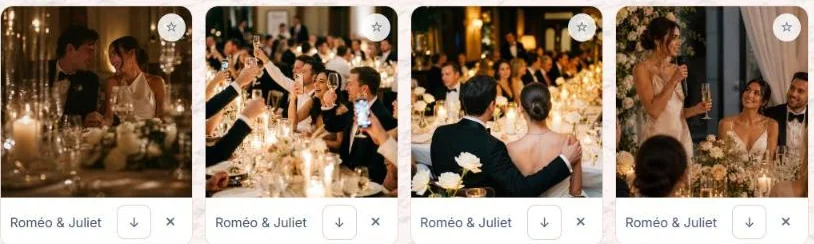
Four photographs guests have sent to a couple's album.

Inspiration boards

Everything you have screenshotted and then lost in your camera roll. Venues, dresses, décor and colour palettes saved into boards and tagged with roughly what they cost, so you can show a supplier instead of describing it.

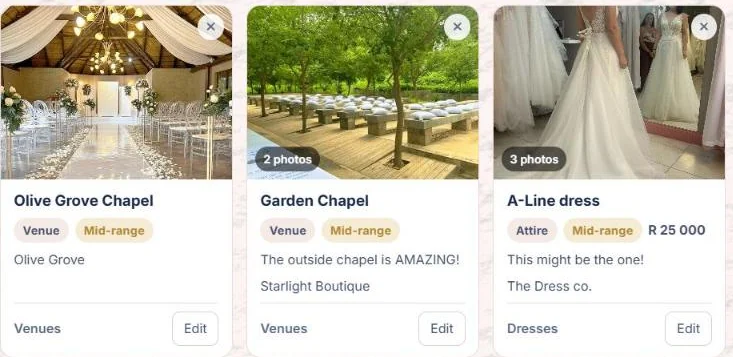
Three inspiration
             ideas saved to boards: two chapels and a dress, each tagged with its
             board and roughly what it costs.

What it has cost, and what is still to do

A budget in rand that knows what you have been quoted and what has actually left your account, and a checklist dealt to you the day you start, so there is no blank page.

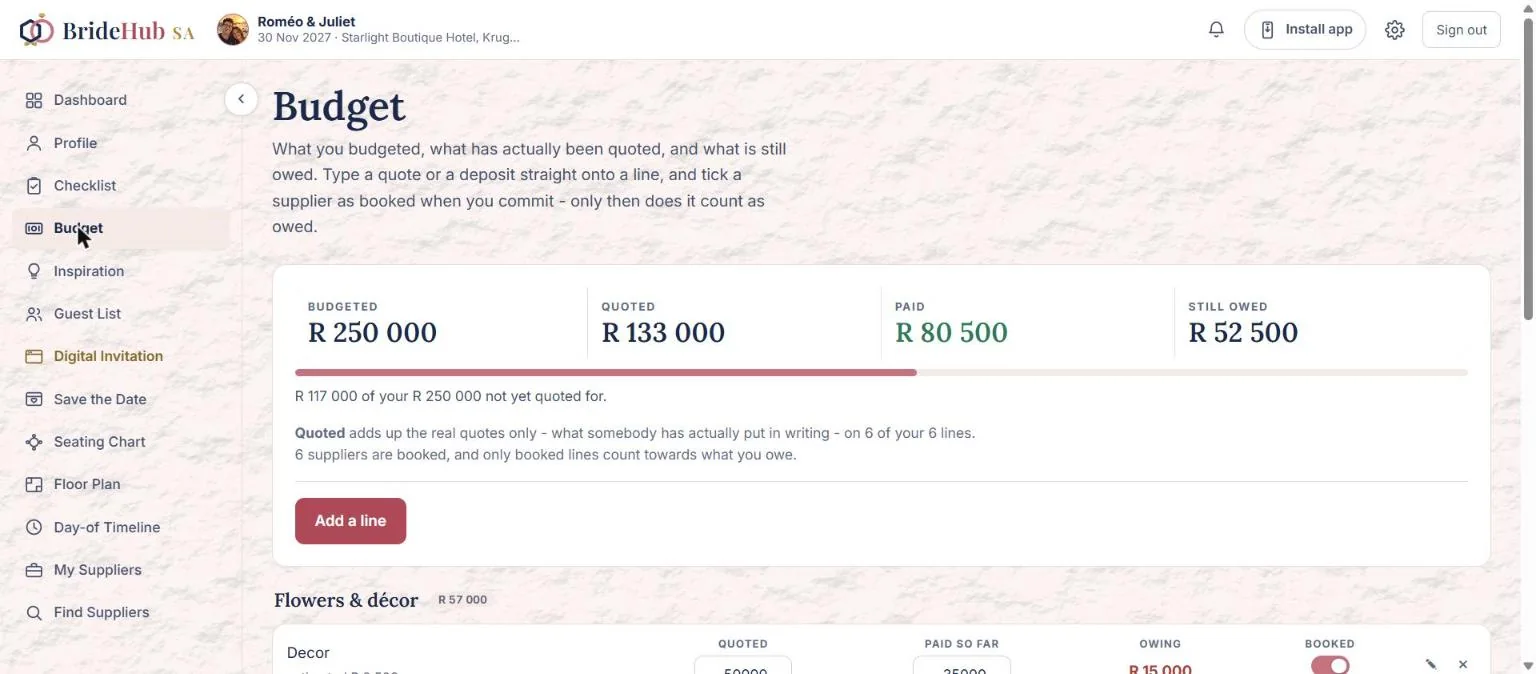
A wedding budget: R250 000 budgeted, R133 000 quoted, R80 500 paid and R52 500 still owed.

And everything else a wedding needs

All of it free, all of it talking to each other - put a quote against a supplier and the budget knows about it.

Before the day

Checklist

What a South African wedding needs, in the order it needs doing. Dealt to you the day you start, so there is no blank page.

Budget

What you planned, what you have been quoted, and what has actually left your account. In rand, on one line each.

Guest List

Everyone you are inviting, grouped by household so one family gets one invitation. RSVPs and dietary needs beside each name.

My Suppliers

Everyone you are talking to, and where each one has got to: shortlisted, contacted, quoted, booked or passed on.

Documents

Contracts, quotes and invoices in one place, instead of spread across a year of email and a WhatsApp thread.

Inspiration

Venues, dresses, décor and colour palettes kept in boards - so you can show a supplier instead of describing it.

The day itself

Seating Chart

Who sits where. Pick a guest - or a whole household at once - and put them at a table.

Floor Plan

The room from above, drawn to scale. One grid square is a metre. Download it and hand it to the venue.

Day-of Timeline

The running order you hand to the photographer, the caterer, the MC and whoever is driving the shuttle.

Your guests

Save the Date

The announcement you send on WhatsApp, ten months out. Your photograph, your colours, your lettering, made here and downloaded as a picture.

Digital Invitation

Your invitation, online. One link with the date, the venue, where to stay and what to wear - and guests reply on it.

Gift registry

What you would like, for the guests who ask. A claimed gift stops being offered, so nobody buys the same kettle twice.

Phone Booth

Your guests record you a message, the way they would send a voicenote. Only the two of you can hear them.

Guest Album

One shared album for every photo and video your guests take. Guests scan a QR-code on the table. No app to download.

Free for couples

Not a trial, not a first month, not a cut-down version.

Every part of the planning service, at no cost, with no card asked for at any point.

Questions couples ask

Is BrideHub SA really free?

Yes. Every part of the planning service is free to couples - no card, no trial, no feature held back.

Can my partner use it too?

Yes. Invite them from your profile and they can see and change the whole wedding. Either of you can end that at any time. One account is one person, so nobody has to hand over a password.

Do my guests need to download anything?

No. Your Digital Invitation, the RSVP and the shared photo album all work from a link or a QR code on the table. No app, no account, nothing to install.

Where is my information kept?

On a database in Frankfurt, Germany, and we say so plainly because you ought to know where your things are.

What happens to my wedding after the day?

It is kept for a year after your wedding date, and you are warned sixty days, fourteen days and one day before anything is deleted. You can extend it for another year whenever you like, or delete the lot yourself in a minute.

Is it better on a computer?

Yes, for some of it. Everything works on a phone, but the seating chart, the floor plan and the Digital Invitation are far easier on a bigger screen - you can see the whole room, or the whole page, at once instead of a corner of it. Start on a laptop for those, and carry the rest in your pocket.
Ready when you are

It takes about a minute, and the checklist is waiting for you.